
Maker: Creative Chaos
When I’m not caught up with family and work, I love diving into random, pretty weird projects with my wife and kids. We picked the name “Team Runs With Scissors” to capture the chaos.
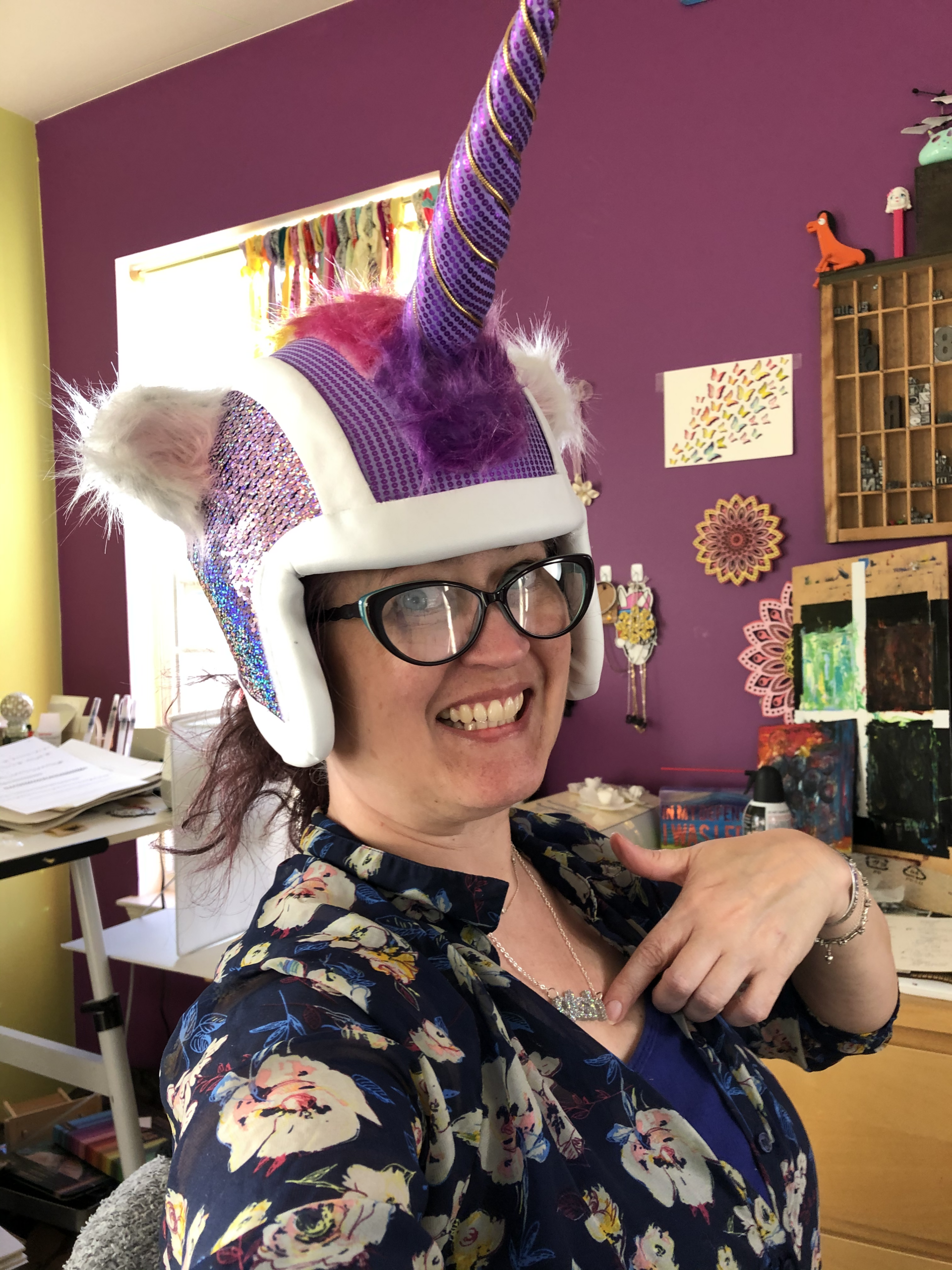
Tracey — The Artist
Handles fiber work, sewing, paper crafting, and all things visual.
Keith — The Technologist
Tackles electronics, wiring, programming, motors, and sensors.
Most of the software for these can be found on GitHub
Tracey
Artist

Keith
Technologist
Team
Scissors
Featured Projects
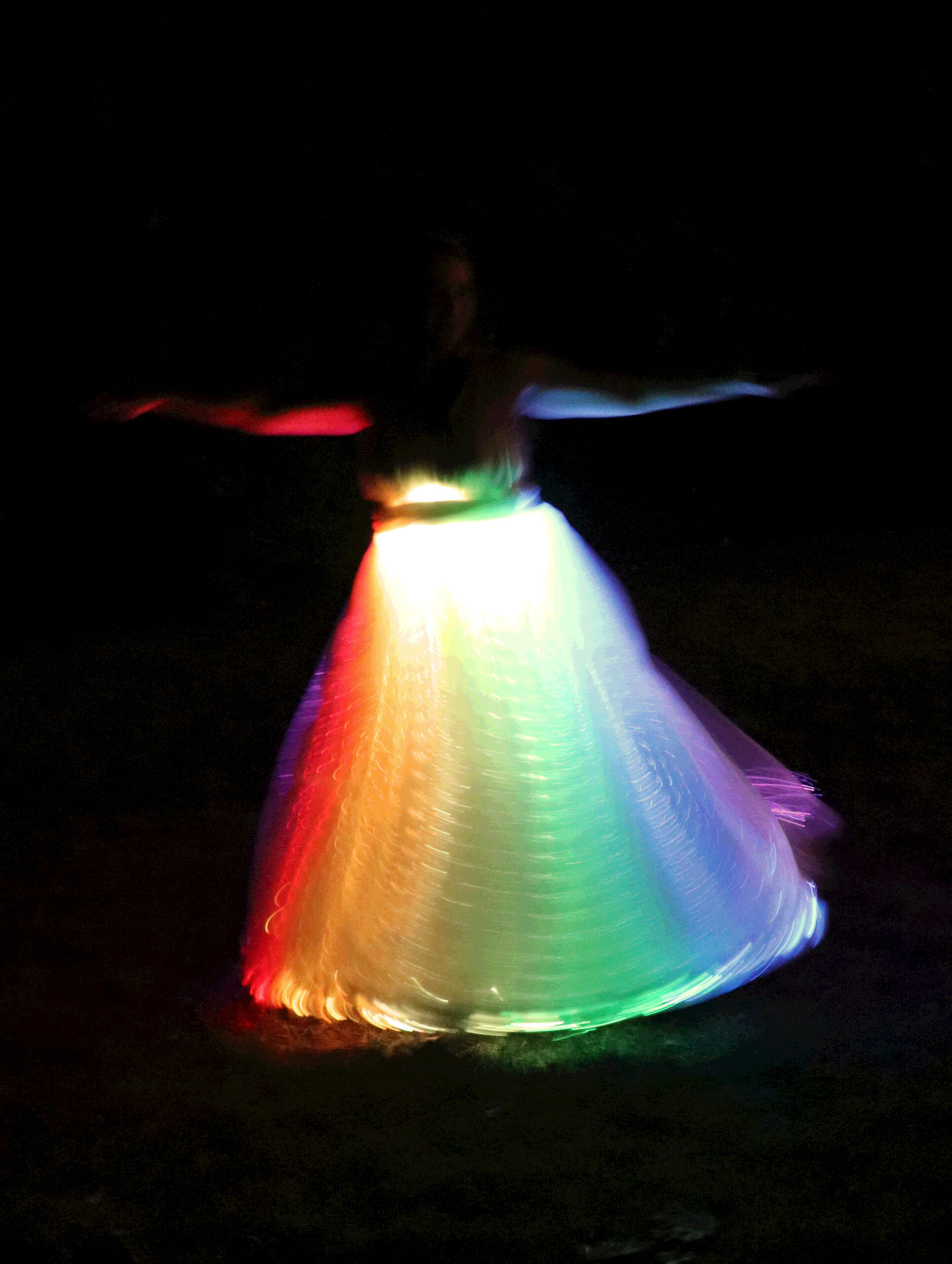
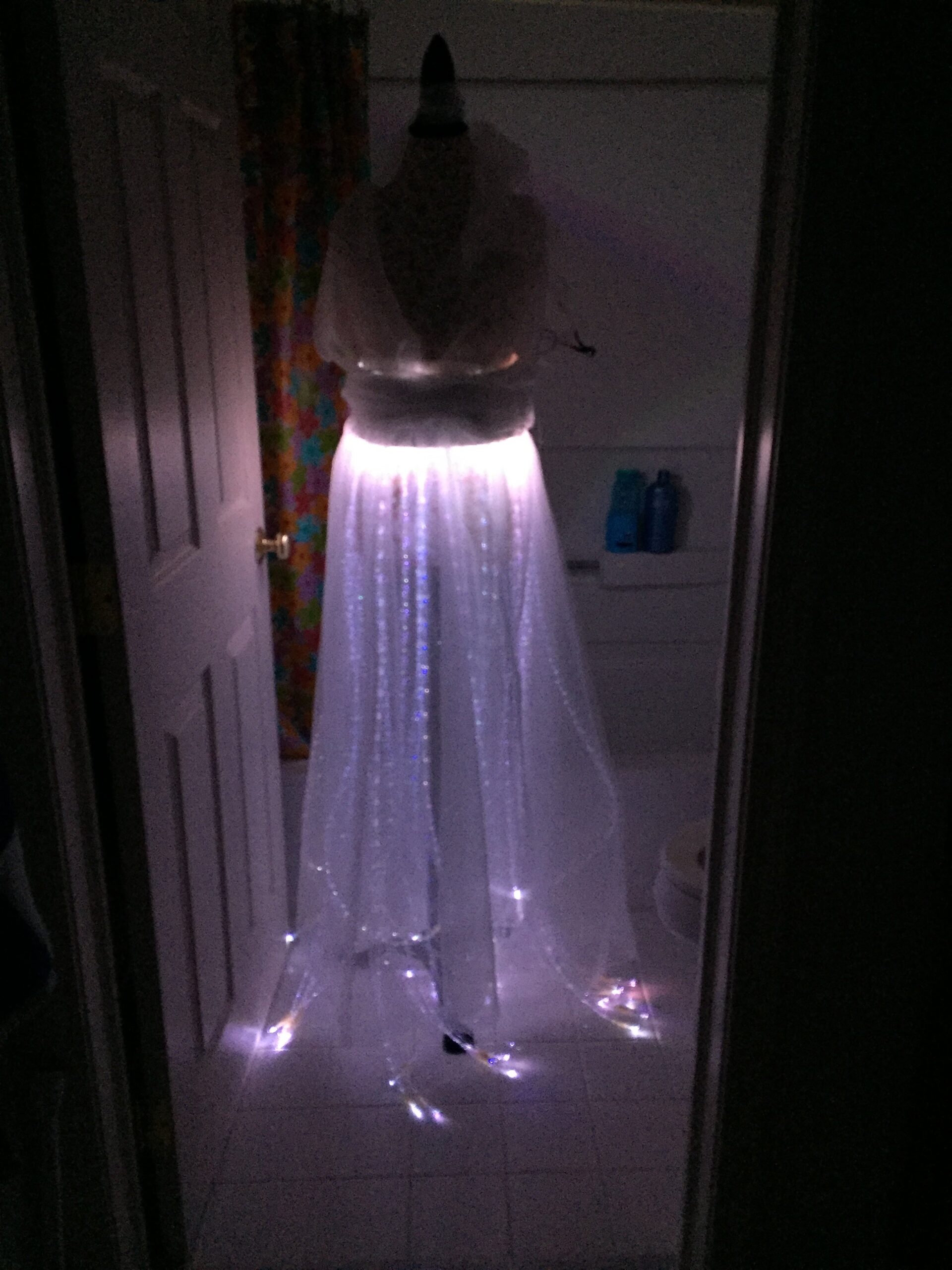
Magic Dress
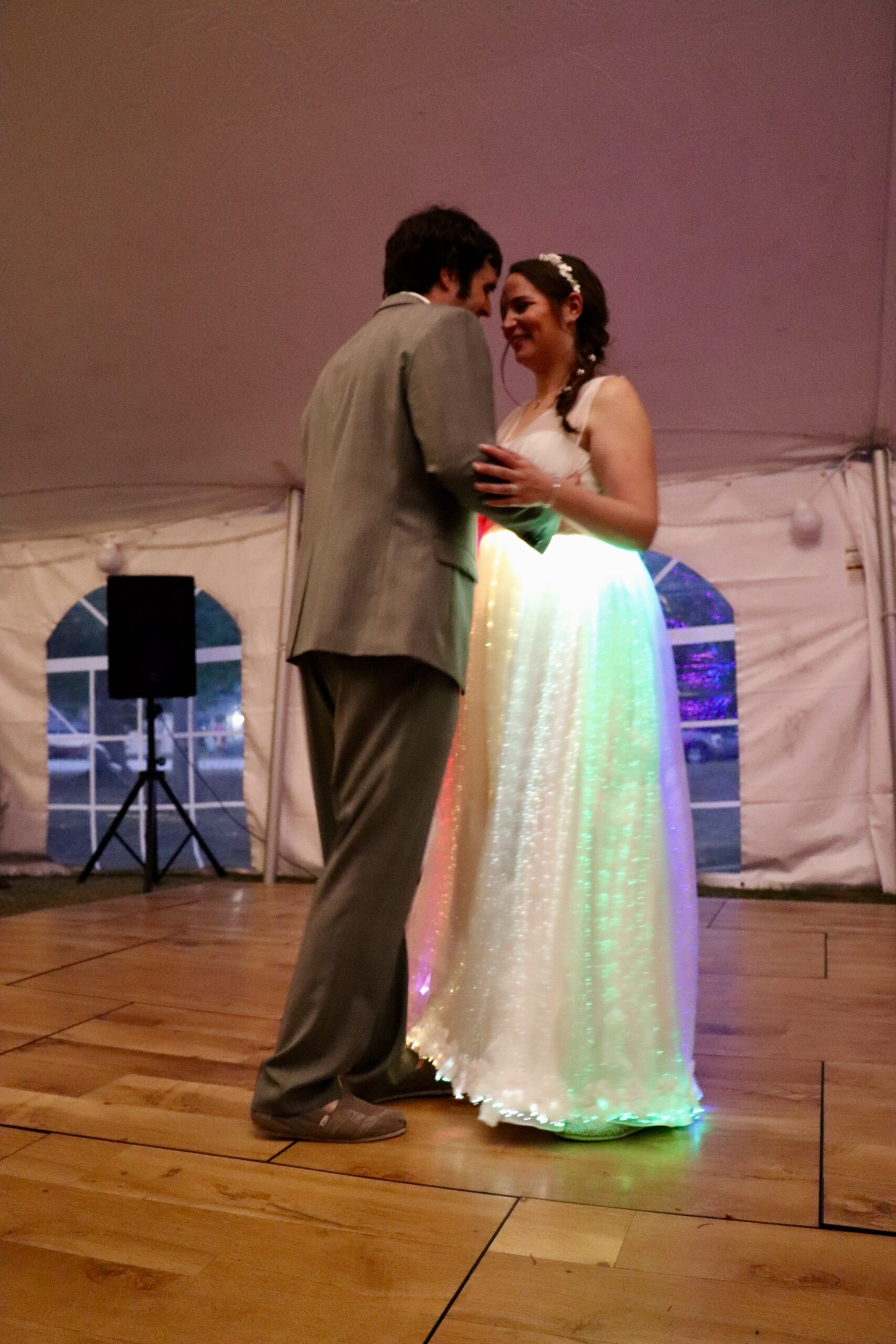
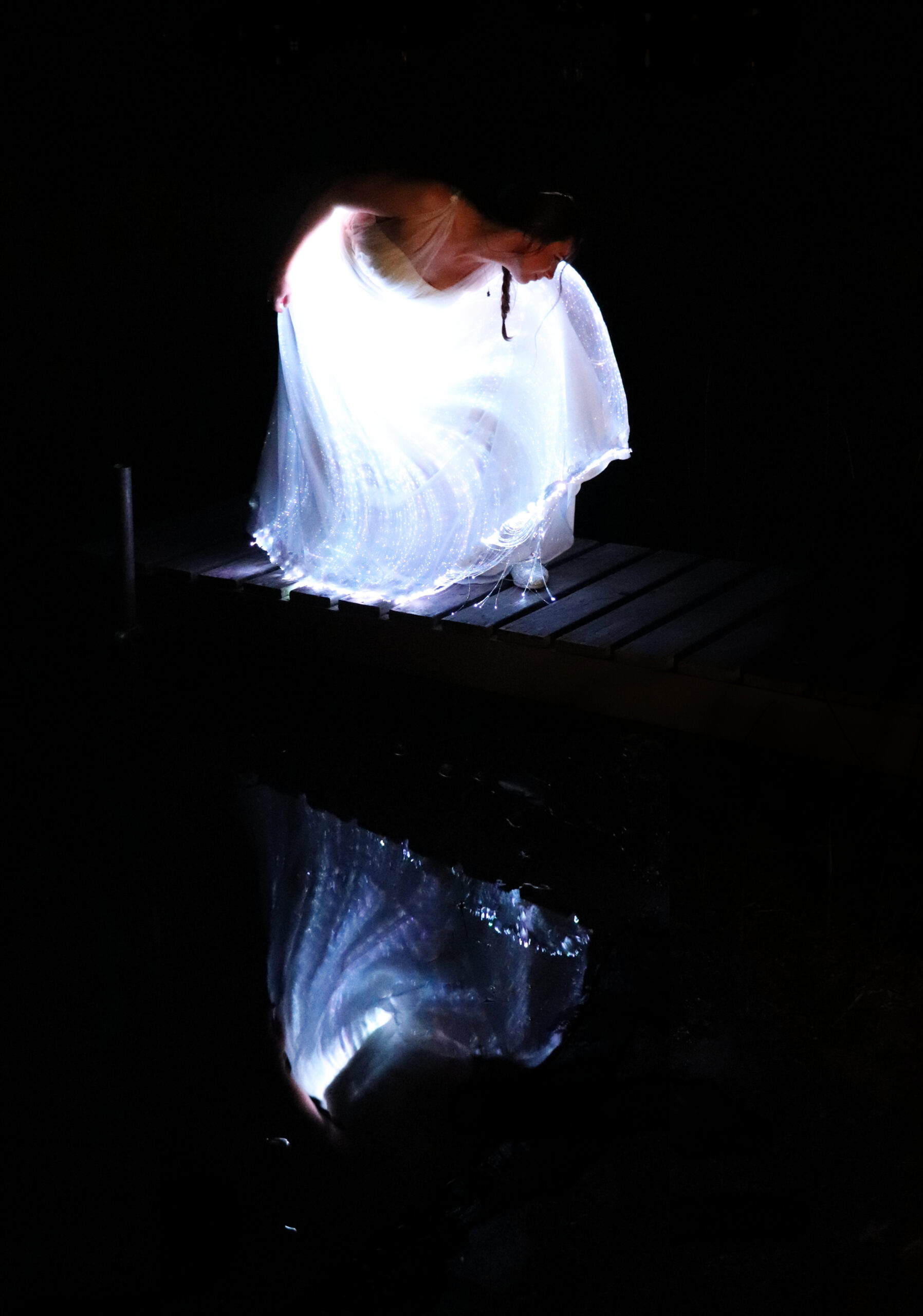
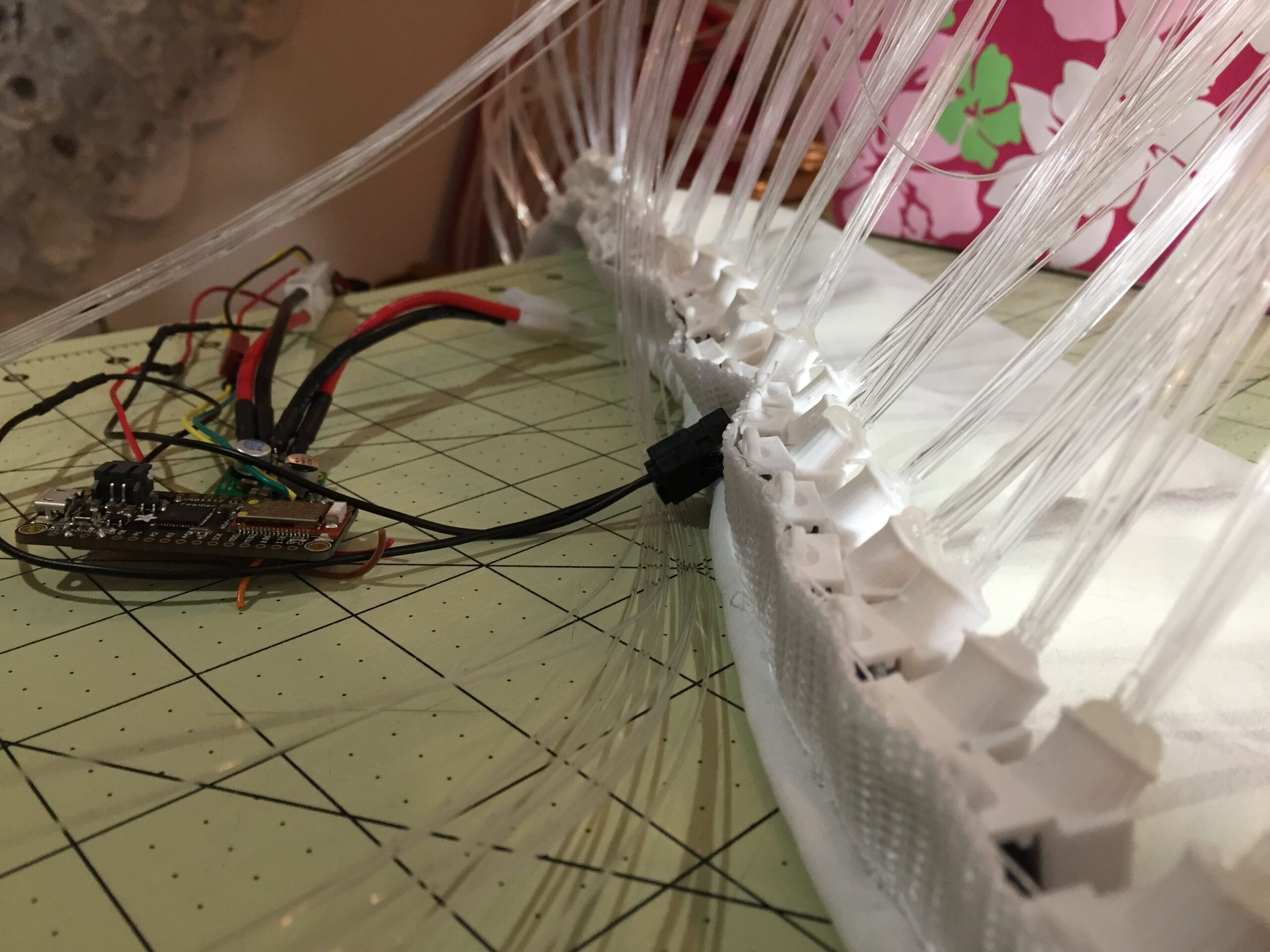
A hand-crafted dress overlay with 28 LEDs illuminating 350+ fiber optic strands, controlled via Bluetooth from an Android app. Built for a Harry Potter themed wedding.
Components
- Adafruit Feather Bluetooth LE
- Dotstar Digital Color LED Strip 60
- 5V Step Down Voltage Regulator
- 7.2V NiMH Tamiya & connectors
- 1400′ sparkle strand fiber (we only used about half)
- 28 fiber + LED pots custom 3D printed
- Additional connectors
Software
- Android App – custom built with Android Studio, BLE libraries, custom screens & serial protocol
- Dress Controller – custom built using Arduino IDE, Adafruit Dotstar libs, Adafruit BLE libs
- Patterns – All White, White Slide, White Slide Fast, Rainbow Slide, Rainbow Slide Fast, Maize & Blue Slide, Blinking White, Lightning, Dark (battery saver…)
Challenges / Opportunities
- We originally wanted to create a custom wand that you could flick to change colors, but we ran out of time before the event
- Lighting that would bounce “to the beat” – required putting a microphone on the dress that wouldn’t be covered.
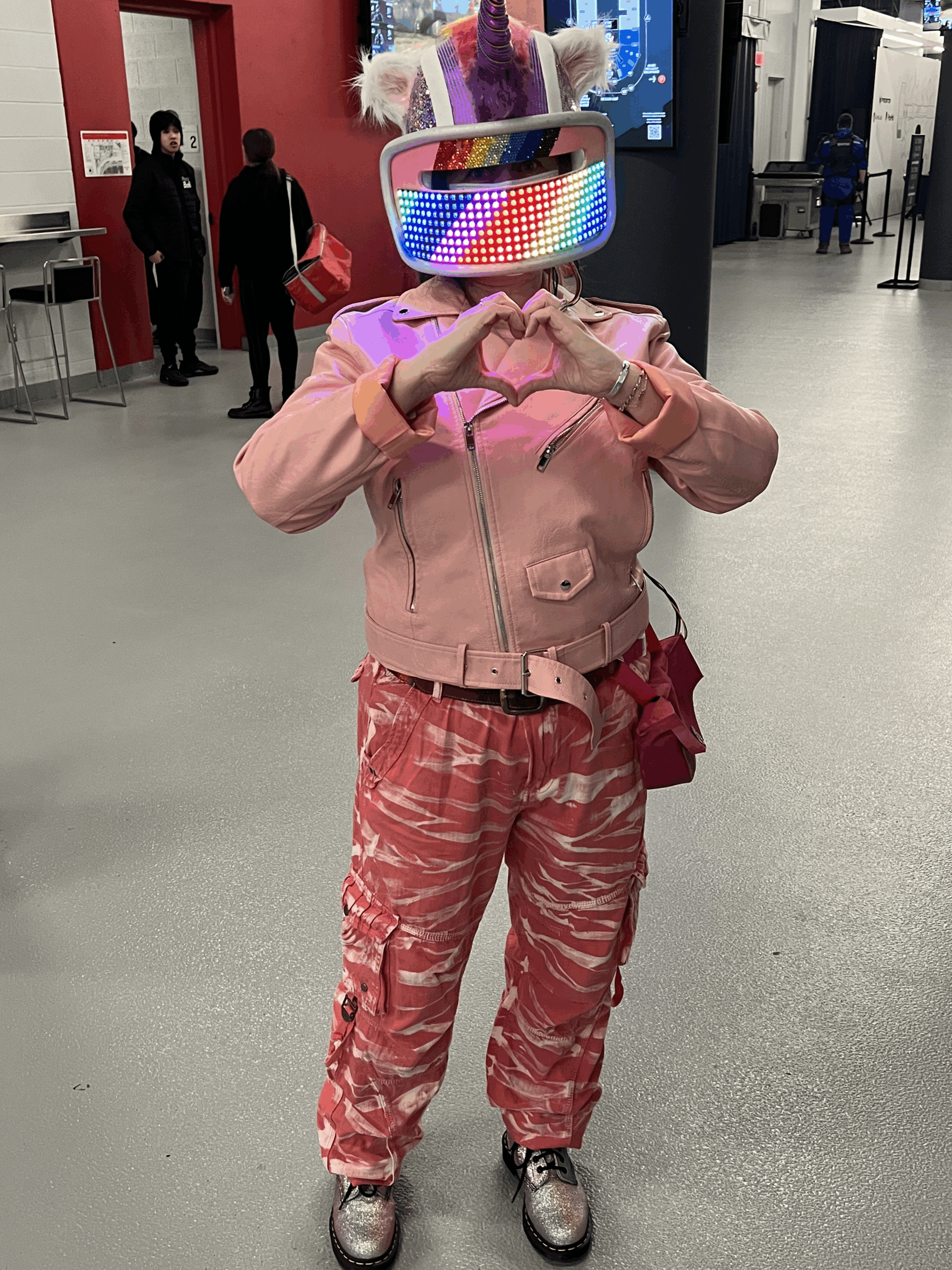
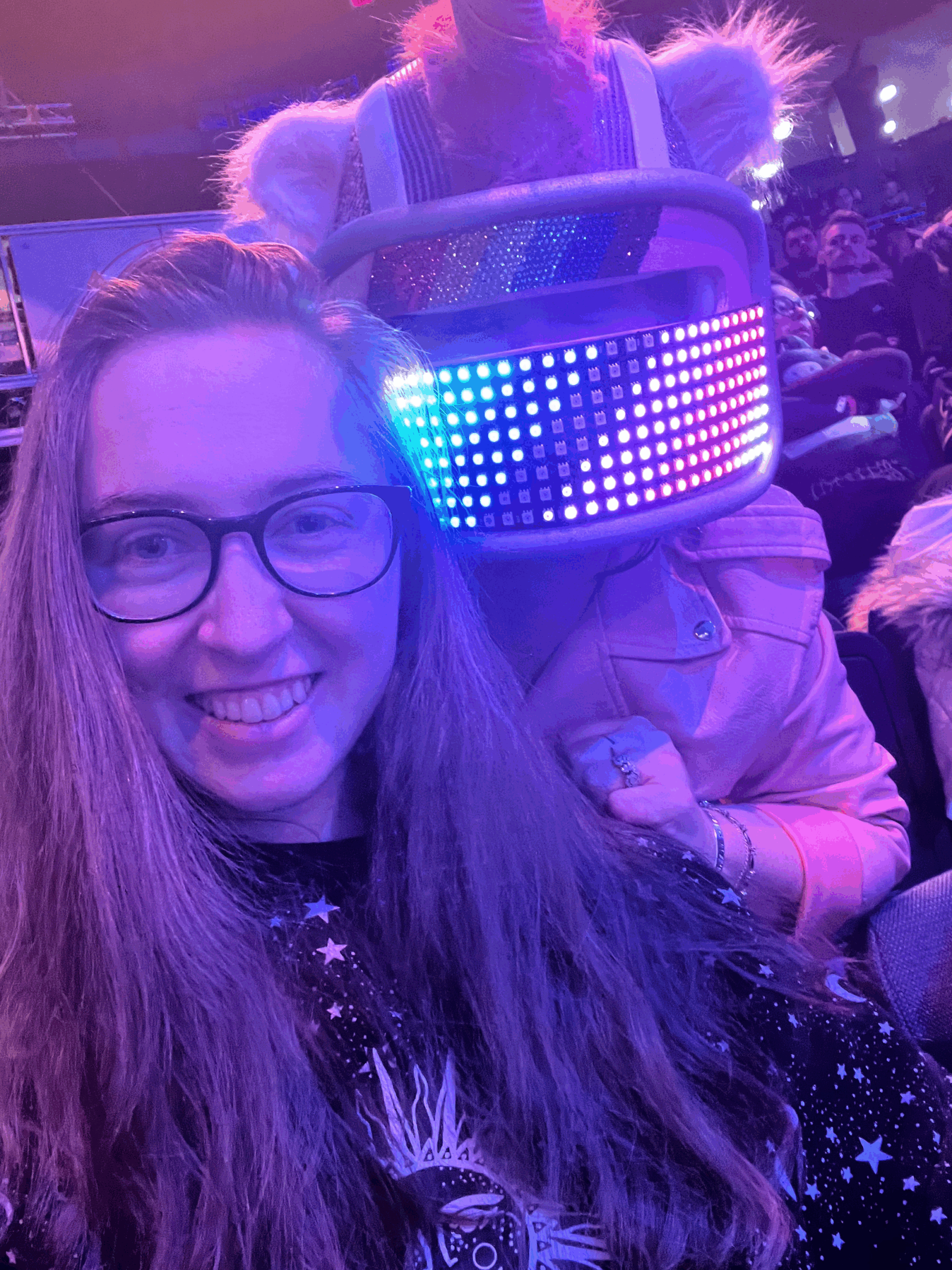
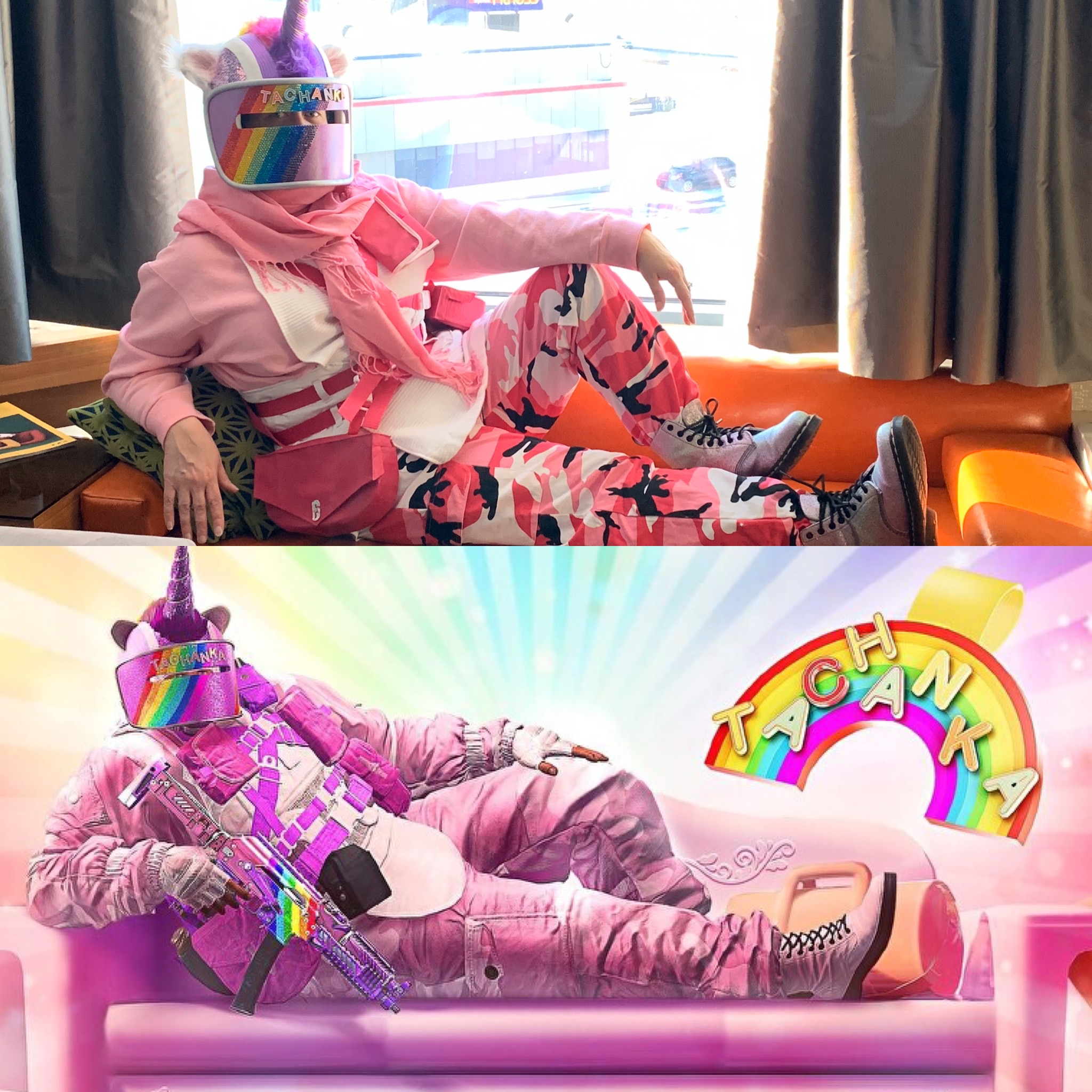
Rainbow Tachanka's Magic Visor
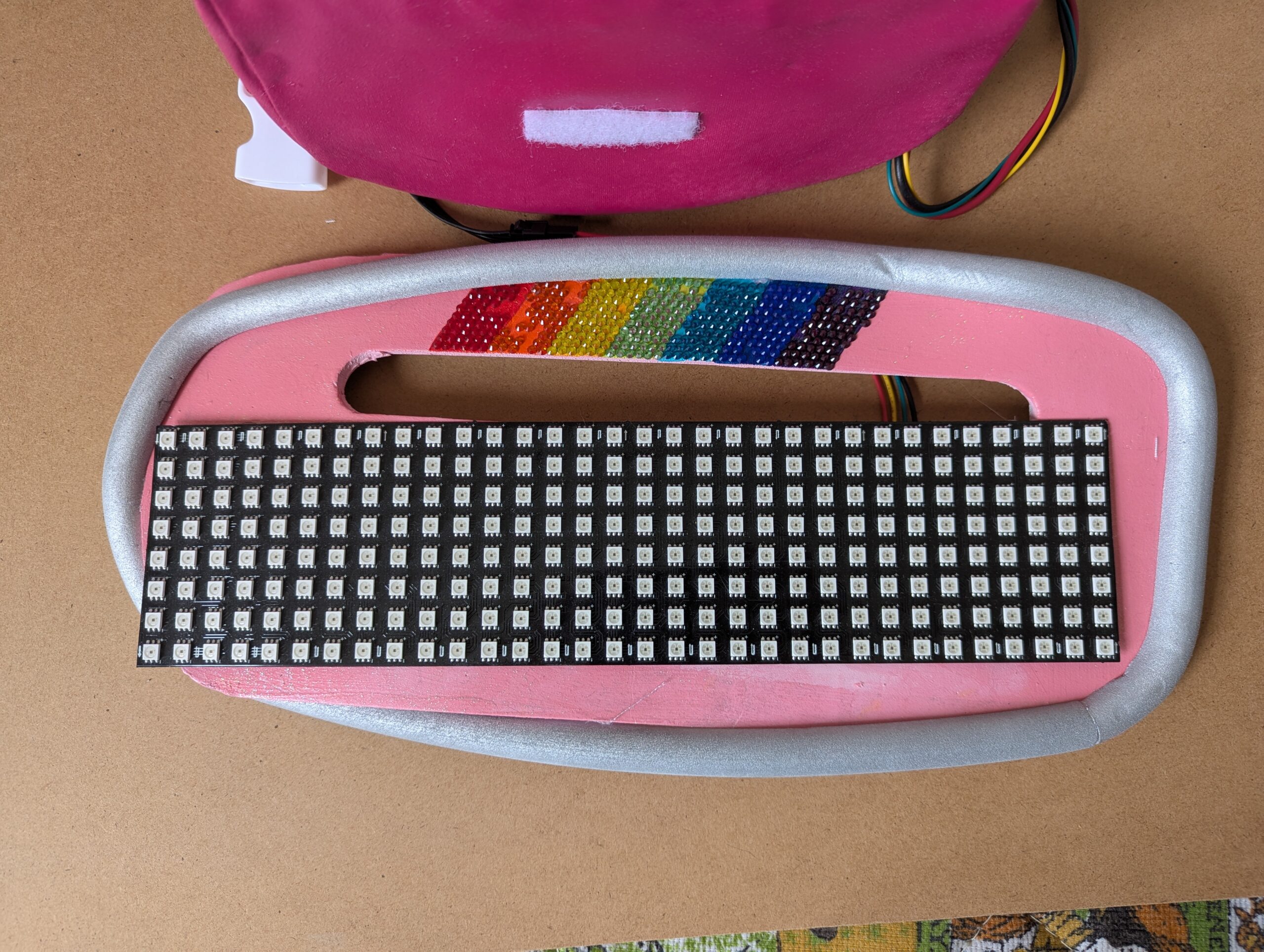
Created for the Rainbow Six Siege 2023 Championships, this controllable visor helmet upgraded Tracey's original Rainbow Tachanka cosplay from 2020. Building on techniques from the magic dress project, the wearable tech piece was a hit at the event.
Components
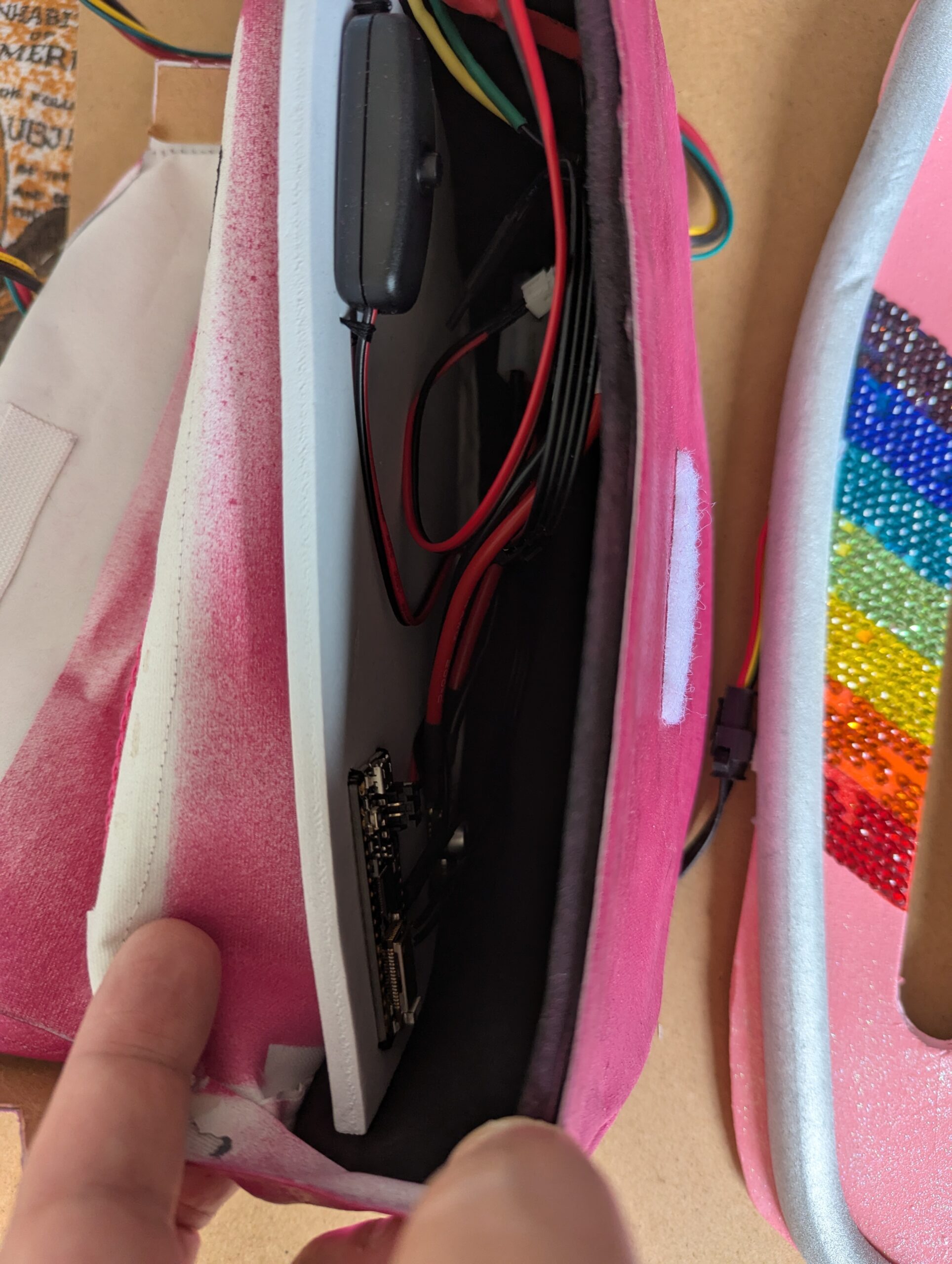
- Adafruit Feather Bluetooth LE
- Neopixel 32×8 flexible LED matrix
- 5V Step Down Voltage Regulator (7.2V → 5V)
- 7.2V NiMH Tamiya & connectors
- Power Toggle switch
- Additional connectors and connector wire
- Custom wearable pouch for components
Software
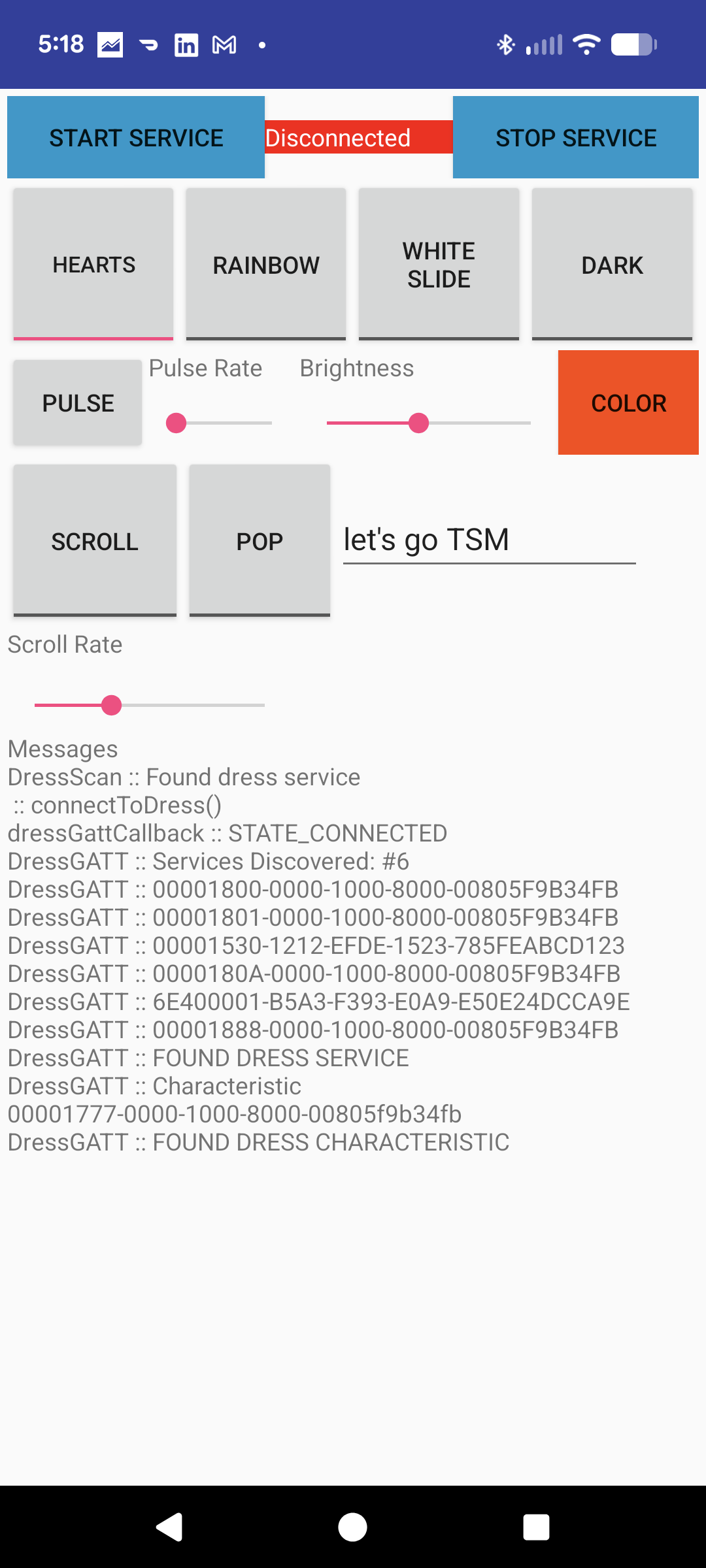
- Android App – custom built with Android Studio, BLE libraries, custom screens & serial protocol
- Visor Controller – custom built using Arduino IDE, Adafruit Neopixel libs, Adafruit BLE libs
- Modes – Scrolling Hearts, Scrolling Rainbow, Custom scrolling text, Custom pop text (will display each word for a few seconds and cycle). With text can choose color and for scrolling you can choose speed.
Challenges / Opportunities
The design was straightforward, but setup took several minutes each time to route cables invisibly through the outfit to the pouch. Event security inspections for safety added extra complexity.
- Wanted to create a “pattern designer” where you could design a pattern on the phone – with a scrolling option – that gives you ability to create custom designs on the fly.
- There are newer grids now that are denser, would like to upgrade at some point to give more options for text and maybe even logos.
Robo Kart
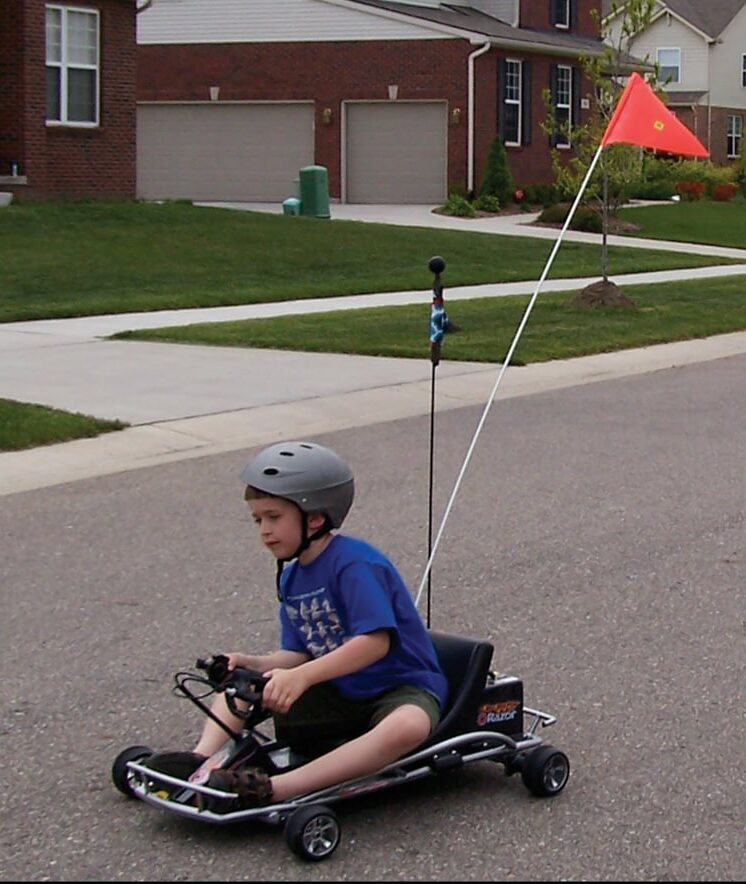
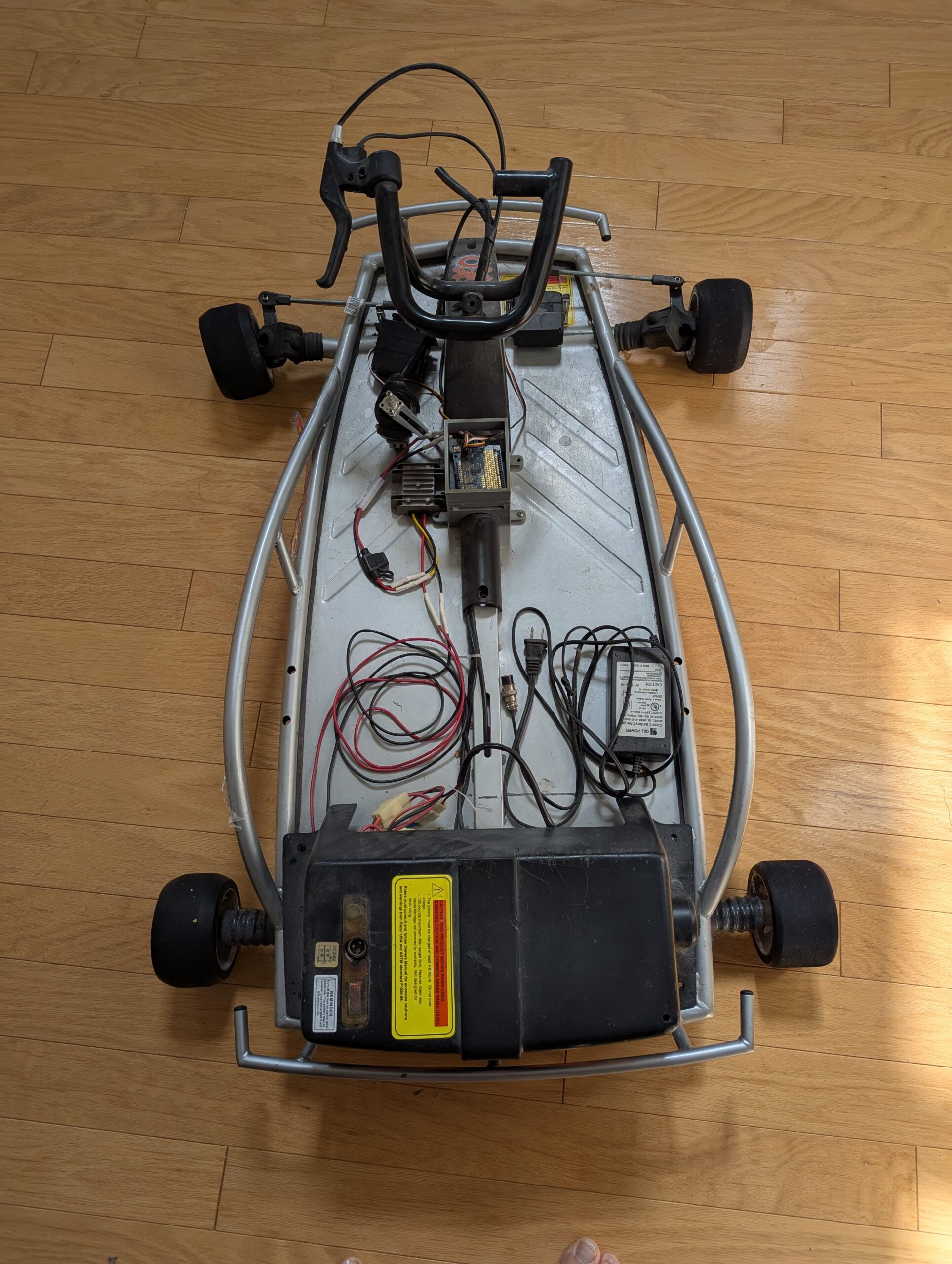
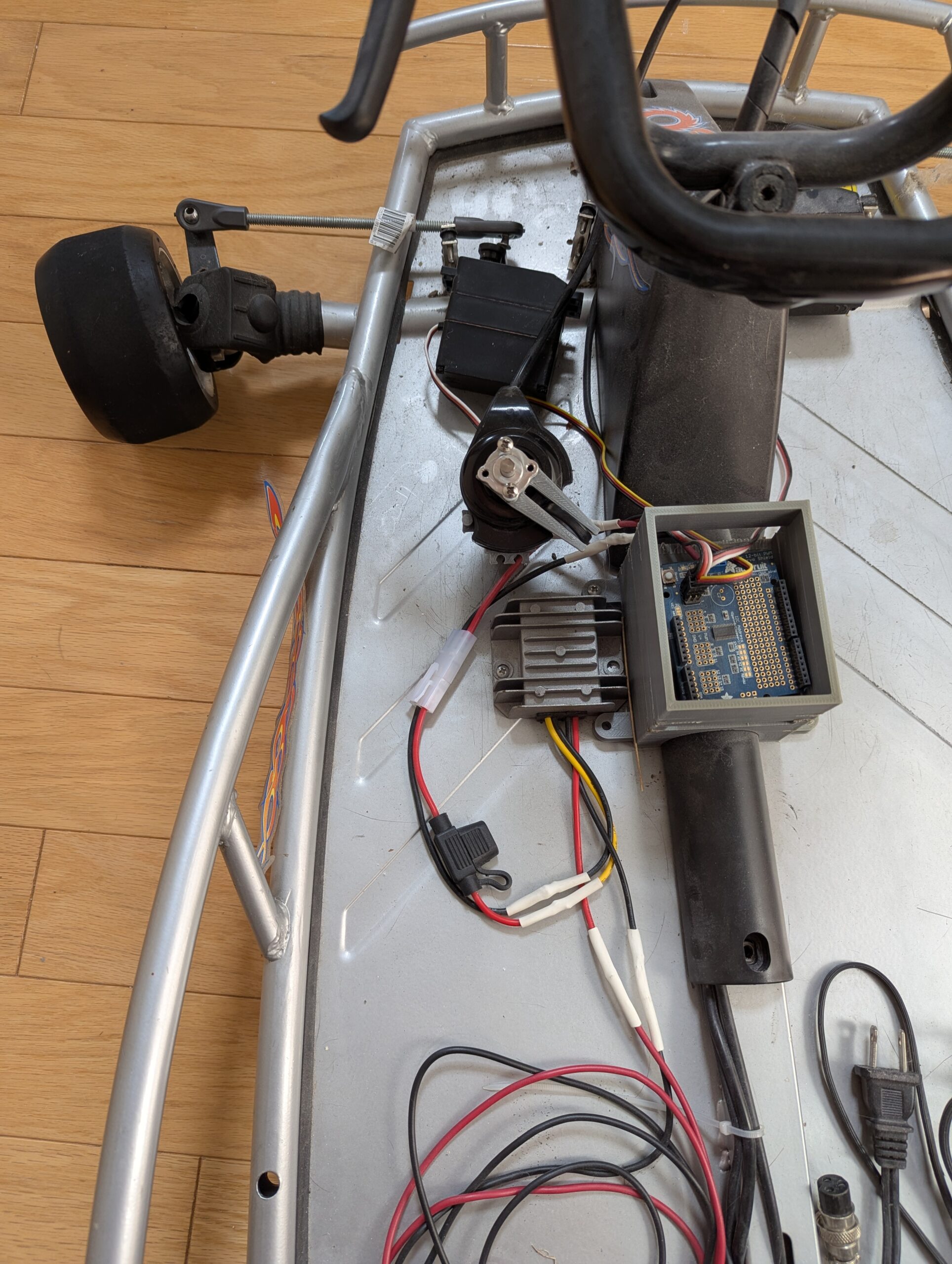
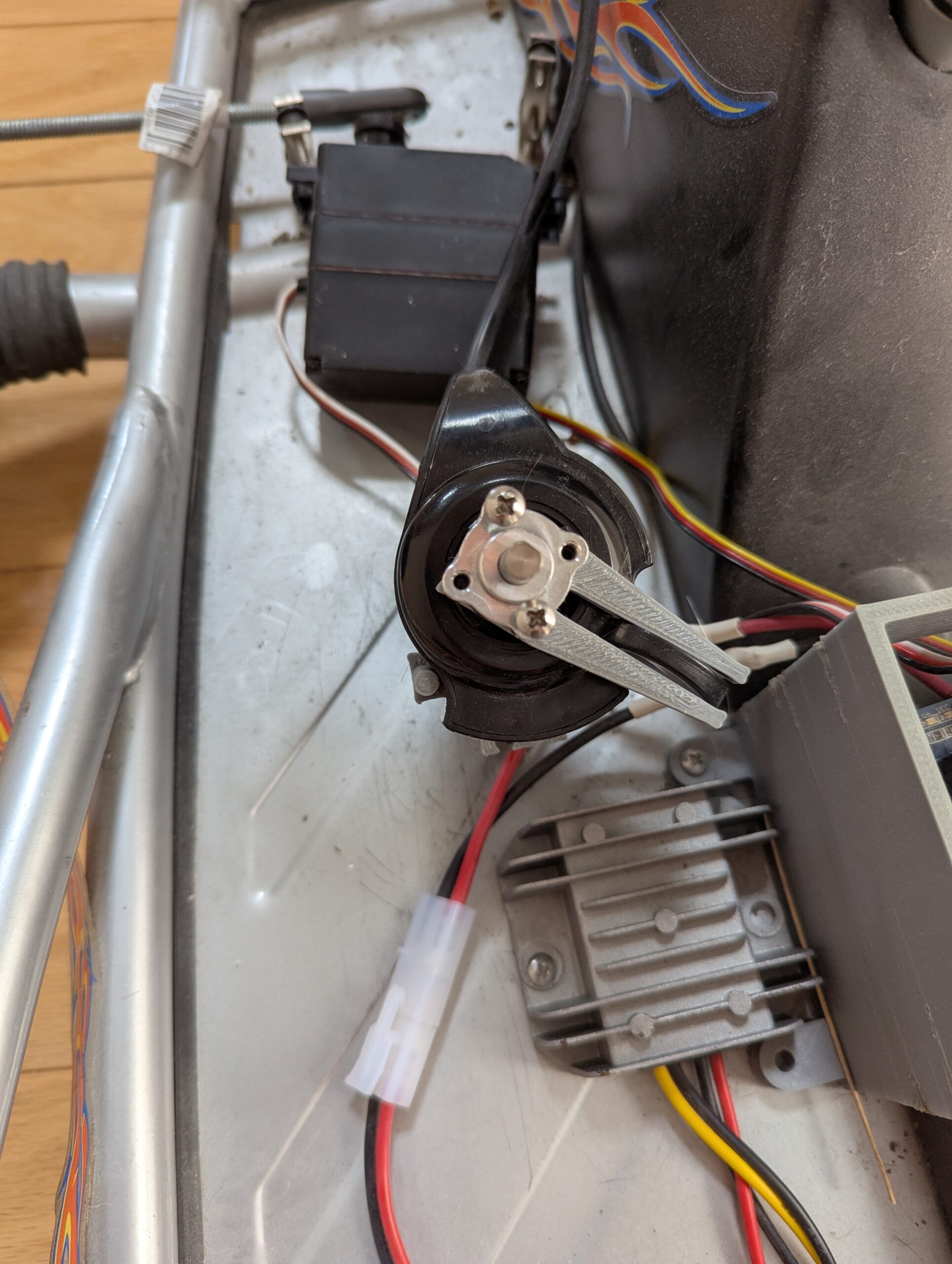
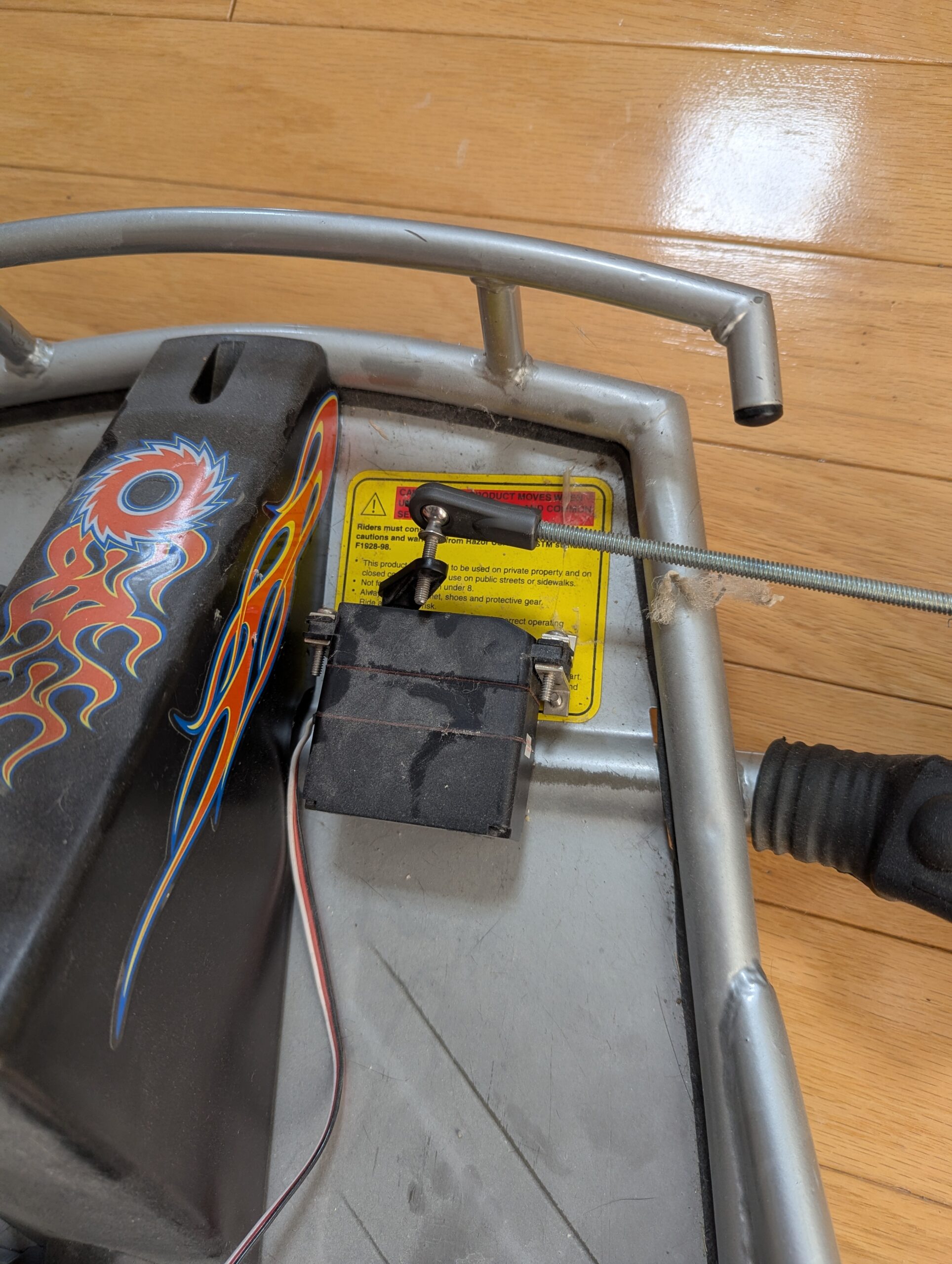
When our kids outgrew their Razor Go-Kart, I converted it to remote control. After initial Bluetooth connectivity issues, I switched to Wi-Fi Direct with an Android app that used tilt-steering and thumb throttle. All components ran off the main kart battery (with a 5V buck converter for microcontrollers), and I designed a custom adapter to actuate the existing thumb lever. We won our category at the Gish Halloween event and made the Hall of Fame!
Components
- Razor Go Kart
- Arduino Uno Wi-FI
- Arduino Uno Servo Shield
- 12V→ 5V Buck converter with heatsink
- 2 high torque servers
- Push rods & ball joints to connect servos and front wheels
- Custom 3D printed components for housing controllers, etc.
Software
- Android App – custom built with Android Studio, WiFi direct libraries, custom screens & wireless serial protocol. Tilt to steer, thumb control slider for speed
- Kart Controller – custom built using Arduino IDE, Arduino WiFi libs
Challenges / Opportunities
The Arduino occasionally reset during driving—likely from power drops when servos hit full load—causing loss of control. (We may have hit a neighbor’s garage door…) A bulk capacitor would have likely solved this issue.
- Steering was sensitive and slightly delayed (~100ms from WiFi data processing), making driving challenging.
- I’d also have preferred connecting steering to a larger motor to move the wheel visually, but the cost was prohibitive.
- Ask Tracey about “danger cannon”…
Wedding Cake Rocket
For a GISH challenge to fly a wedding cake, we built a small-scale rocket due to limited launch space. A single engine lacked thrust, so I designed parallel engine mounts. (The scorched, bent blast pad in the video shows evidence of our first failed attempt.)
Components
- Layered wedding cake (10″, 8″) fully frosted
- 2 Estes C6-5 rocket engines
- Custom stiff cardboard mounting frame
- Estes launch pad, launcher, igniters
- Fake bride & groom in background for effect
Challenges / Opportunities
Mounting the rocket engines such that the cake would not just “fly apart” took some extra engineering to make sure that we had a mid-plate backing that was solid enough to hold the force and keep the cake together.
As you can tell by the video, it didn’t fly straight. We could have added large fins to guide it better… but we were in a rush.
Mr. Crowley - Voice Activated Toilet Flusher
For a GISH challenge, we built a voice-activated toilet flusher triggered by saying "Crowley" (the Supernatural villain). An Android phone running Google Speech to Text sent signals to an Arduino that controlled a servo for flushing.
Components
- Arduino Uno
- 1 High Torque servo
- USB cable
- Android App built with Android Studio
- Google Speech-to-Text Libraries
- Picture of Mr Crowley
- 1 bad joke & 2 willing participants
Challenges / Opportunities
The speech-to-text engine was still pretty early so it had a hard time recognizing the word “crowley”. In the video I tried to enunciate clearly while watching the STT output to make sure it was picking it… took a few tries. Plus I couldn’t remember the joke so I had to write it on paper and post it on the wall! 😂
Rotary Mobile Phone Dialer
For a GISH challenge, we connected a rotary phone to make calls through a cell phone. An Arduino counted dial clicks from the rotary phone's audio lines and sent digits via Bluetooth to a custom Android app. Once the app received 9 digits, it launched the phone dialer to complete the call.
Components
- Arduino Uno Bluetooth
- Rotary phone
- Breadboard for testing
- 6V battery power
- Android App built with Android Studio
Challenges / Opportunities
Recognizing the clicks required a little bit of thought because you needed to “hear” the gaps between dialing as well – as the phone is dialed forwarded, there are clicks but they are too close together to be numbers.
There was actually space inside the bottom of the phone to place all the components, but when in a rush we didn’t get a chance to do that.
Coming Soon
- Rebuilt Wolfie